

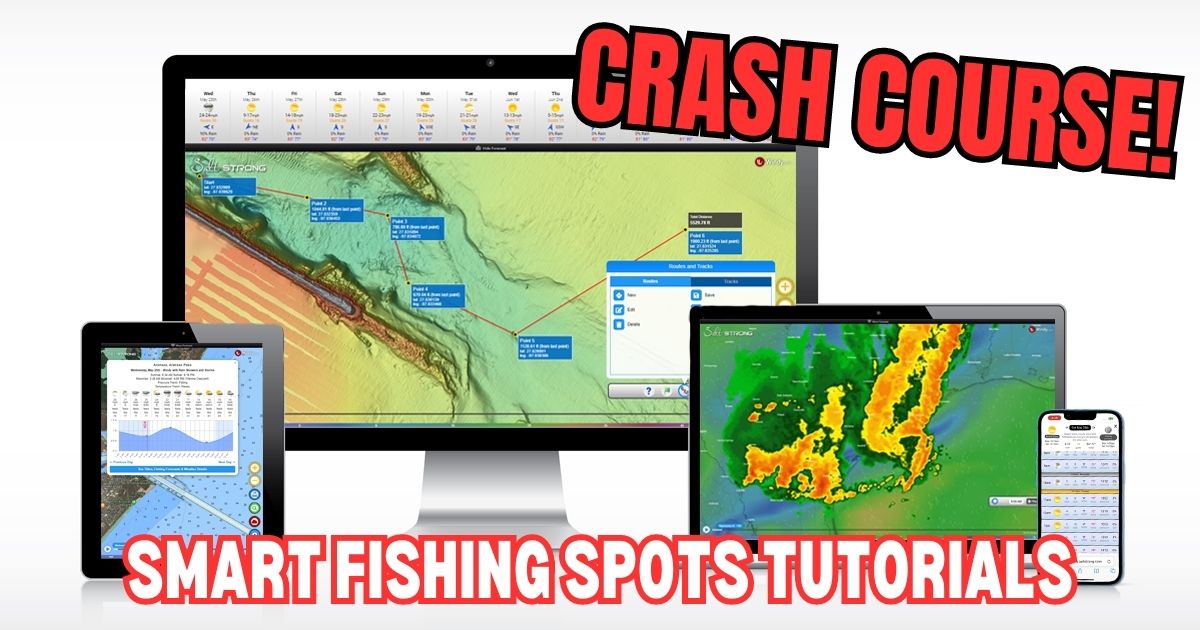
Welcome to Smart Fishing Spots!
The following videos will help guide you through how to effectively use the Smart Fishing Spots software.
Here are the topics that will be covered (you can click on a specific topic below to go straight to the video):
Introduction:
(Click On Any Of the Links Below to JUMP to the video)
Map Layers:
- Smart Spots Layer
- Ocean Current Layer
- Public Lands Layer
- Private Land Layer
- 1 Foot Contours Layer
- Oysters Layer
- Seagrass Layer
- Artificial Reef Layer
- Boat Ramp Layer
- Kayak Launch Layer
- Shaded Relief Layer
- Marine Chart Layer
- Sea Surface Temperature Layer
- Water Temperature Layer
- Satellite Imagery Layer
Tides & Weather:
Tools:
- My Spots
- Waypoints
- Finding Current Location
- Distance Measurement
- Compass
- Creating Tracks
- GPS Settings (Degrees & Decimal)
- Insider Reports & Spot Dissections

 Back To Top Of Page


I just recently joined The Insider club and I’m trying to figure out what the little man icon is on the map to the right of the screen. I click on it and it does not do anything does anyone know what it’s for?
That’s the icon for seeing roadside details such as parking, no trespassing signs, etc… just drag it over a road, and when you drop it, the view will be from the ground in that spot.
I received a e-mail that said they wanted to chat with me. It was from AI Piet via Salt Strong. Is this you all or a hack.
There is a chat feature in the community. It is next to the notification icon at the top right of the community page and you can see any chat/messages. Be sure to check there.
Hey great job!
I fish with a fishing drone off Brevard Co FL shoreline out say 1/4 mile.,I’m interested in predicting the ocean current flow north & south for carrying the scent of dropped cut bait. By chance do you have any predictive tools or suggestions for this ocean current?
Thank you for the great feedback John! We don’t currently have a tool for knowing the current flow that close to the beach, but the best way to determine is by paying attention to the angle in which the waves are breaking on the beach. Whichever direction the angle is that they are breaking, that should be the direction of the current. Watch for birds sitting in the water or bubbles and debris as well and you should be able to see them floating in a certain direction.
What does the fish symbol on the tides chart mean
Those are major and minor feeding times (solunar)
What does the fish symbol mean
Can the app open centered on my current location?
Hey Will. It will open on the last area you had it at. To center your location on the app, go to tools > show location
Just wondering what the lines with the arrow and a number usually 1017 or something that means.
Hey Joshua, that is for barometric pressure.
Got down here to Venice Louisiana to do some editing and my membership may not recognize me in this location.
I can not get Strong Spots to show areas best for fishing.
Can you help?
I used it in Indiana last week in previewing this trip.
Now zip!
Jon
Hey Jon, I’m sorry to see that you are somehow not seeing the spots while in Venice. I was there a few months ago, and it was working for me. But the internet is spotty down there, so my initial guess is that it’s a connection issue.
If you actually are able to access the Smart Fishing Spots platform, make sure to open the Layers menu and turn on the “Smart Spots” layer.
Let me know if that doesn’t work.
New to the app, love the fishing tips but is there any way to change which species it gives you tips on? When I click on a highlighted hot spot it’ll give me a list of fish, all of which I would be interested in catching but the AI only talks about how to catch snook. Which, I love catching snook, but I’m also interested in tips on the other species listed.
Hey Dane, which species are you most interested in catching? We don’t have a dropdown for customizing the species-specific data yet, but it’s on our list of updates. Currently, we’re in the process of having the system focus on whichever species are most often being caught for each region, so my guess is that snook has been the most commonly caught fish in whichever zone(s) you’re seeing it as the primary target.
What do the major and minor solunar markings indicate
The major and minor solunar periods are known to trigger increased feeding activity.