How to install on an Apple Phone or Tablet:
1) Open Smart Fishing Spots in your browser on your phone (Make sure you’re logged into your account on SaltStrong.com).
2) Click the Share Icon of the browser at the bottom center.
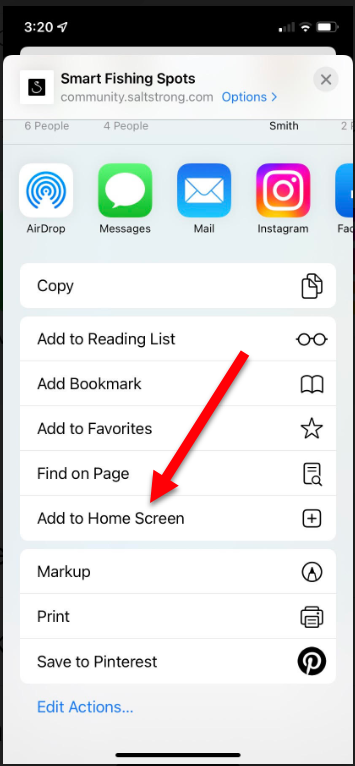
3) Click “Add to Home Screen” from the menu (you may have to scroll slightly to see this option).
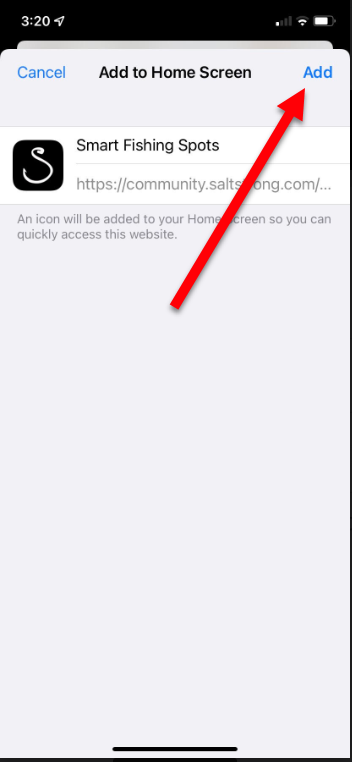
4) Click “Add” at the top right corner to add Smart Fishing Spots app to your home screen.
How to install on an Android phone:
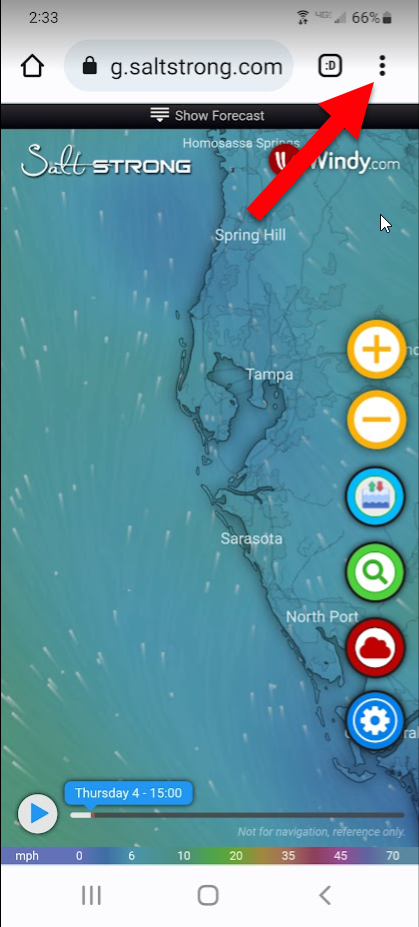
2) Click the Menu Icon of the browser.
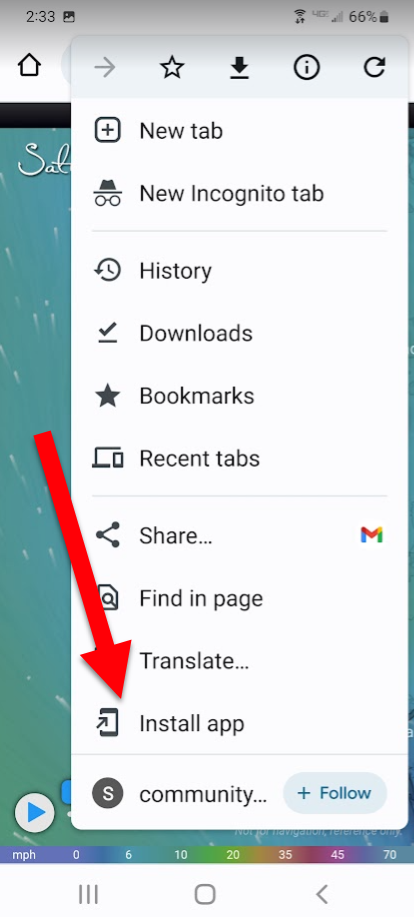
3) From the menu, choose “Install App”.
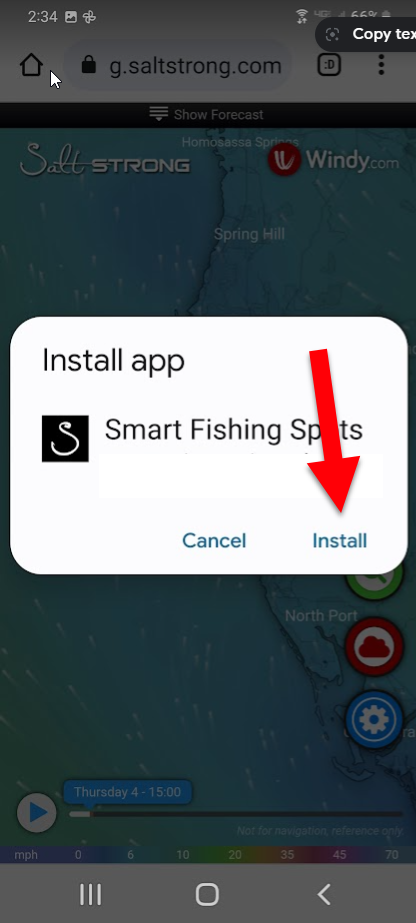
4) Click “Install” in the prompt to have Smart Fishing Spots installed on your phone.
Smart Fishing Spots will now be available in your list of installed apps on your phone. You can then add it to your home screen.