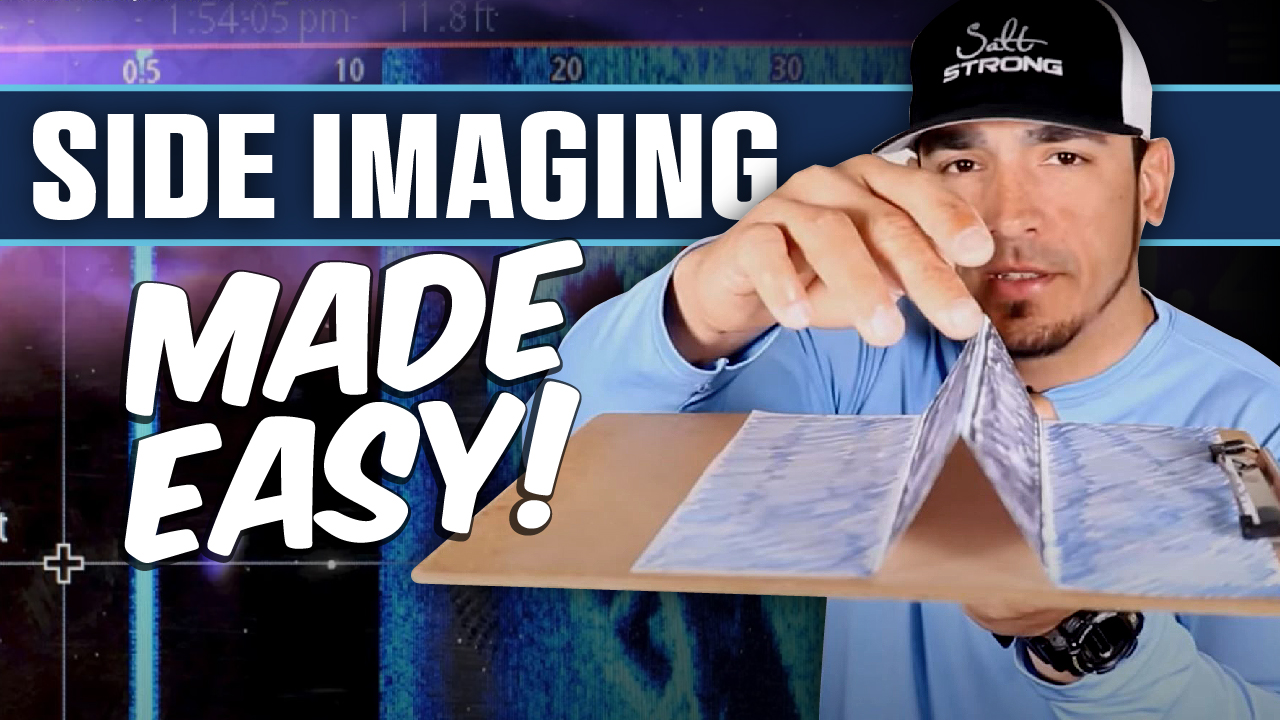
Side Imaging (also known as side-scan) is an awesome tool to have if you are fishing structure, such as bridges and docks.
Many people are often intimidated by it as it can be a bit difficult to understand what you are seeing on the screen.

In this video we are going to make it a no-brainer on how to read and understand what you are seeing on your screen when using side-imaging.
Enjoy!
How To Easily Understand Side Imaging

➡️ Not a Salt Strong Member yet? Join the family today!
Salt Strong Members Save Big in the Tackle Shop!
Did you know that Salt Strong Members save 20% or more on tackle from our Tackle Shop?
From our purpose-built custom-designed lures to some of the biggest brand names in inshore fishing, we have the gear you need to catch more fish in less time AND save money doing it!
When you’re ready to upgrade your reel, rod, or pick up a new combo, we’ve got you covered there as well.
In fact, many Members save more on tackle and gear than they spend on their memberships, making it a no-brainer!




5 years of looking at the side scan like a dog watching TV… Excellent video, Tony. THANK YOU!
You’re welcome Geoff!
Thanks, that was by far the best video I have seen on side scan, I think even I get it now
You’re welcome Louis! Thank you for the great feedback!
Good explanation, I’m on the Chesapeake and usually have my side scan set at 70-100′, our water has a lot of algae so vis is about 18-24″ on a good day 80% of the season….Should I be using a shorter side scan distance or should I be asking about some discussion on contrast & sensitivity settings
The more you are zoomed out, the less detail you will see (and the fish will be much smaller on the screen which can make it hard to decipher). If you want a bigger view, I often will set the side scan to only view one side. For example, if i have bridge pilings and structure on my right, I will only have the right side scanning and thats all that will show on the screen which gives a bigger picture.
Great video thank you.
You’re welcome Ken!
Tony, thank you for explaining. I am going fishing next week with a friend who just got a small boat and is trying to learn how to read his equipment. I also told him to join Salt Strong so hopefully he will. Happy Thanksgiving.
You’re welcome Jon! Awesome hope to see him in the community!
Happy Thanksgiving to you as well!
Thank you Tony! Great info, especially for those of us new to SS radar capabilities and how to read our electronics.
You’re welcome Rob!
Fantastic video, Tony! I have a fish finder, but am so bad at setting it up and using the scanning capabilities. Easy to follow videos like this will really help. Thanks!
Thank you for the great feedback David! You’re welcome!
Finally understand how to read this accurately. Thanks!
You’re welcome James!
Appreciate the great info!
You’re welcome Becky!
gr8 video, have a question tho, when talking about range to boat (about 7 min) on chart the boat lines up at about 15′ – 25′, your depth is approx 12′ as displayed by black section under the boat. Question “Is that 12′ depth the 1st part of the 15′ – 25′ range so that the boat is actually 3′ – 13′ to the side?”
Thanks
Jim
On my Helix SS, the range setting determines how far to sides the scan is set, and the ‘down/black center’ is dynamic to whatever depth I am in. There are many YouTube videos on SS with additional explanations and video samples.