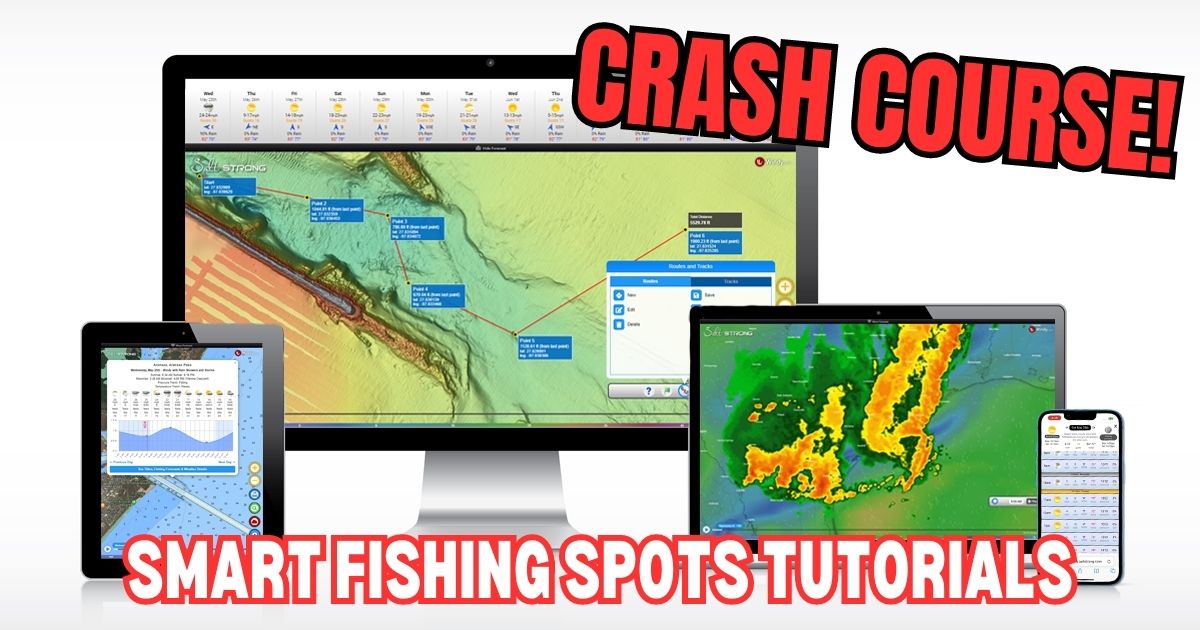
Welcome to Smart Fishing Spots!
The following videos will help guide you through how to effectively use the Smart Fishing Spots software.
Here are the topics that will be covered (you can click on a specific topic below to go straight to the video):
Introduction:
(Click On Any Of the Links Below to JUMP to the video)
Map Layers:
- Smart Spots Layer
- Ocean Current Layer
- Public Lands Layer
- 1 Foot Contours Layer
- Oysters Layer
- Seagrass Layer
- Artificial Reef Layer
- Boat Ramp Layer
- Kayak Launch Layer
- Shaded Relief Layer
- Marine Chart Layer
- Sea Surface Temperature Layer
- Water Temperature Layer
- Satellite Imagery Layer
Tides & Weather:
Tools:
- My Spots
- Waypoints
- Finding Current Location
- Distance Measurement
- Compass
- Creating Tracks
- GPS Settings (Degrees & Decimal)
- Insider Reports & Spot Dissections
Misc:
Smart Fishing Spots Overview

 Back To Top Of Page
How To Search For A Location
How To Check The Weather
Tide Stations & Strike Score
Smart Spots Layer
Ocean Currents Layer
1 Foot Contours Layer
Public Lands Layer
Oysters Layer
Seagrass Layer
Artificial Reef Layer
Boat Ramp Layer
Kayak Launch Spots Layer
Shaded Relief Layer
Marine Chart Layer
Note: Here’s a Marine Chart PDF that includes descriptions for the various icons in the Marine Chart layer in case needed.




I’ve had the tracking feature turned off on a few occasions and found it’s not reliable the way I’m using it yet. Do you have any tips for that tool? If I leave it running in the background an extended period of time without checking it while the phone is locked it seems to disable the track and appear like it was never running although I knew it was. The rest of the app had been the bomb and a game changer.
Interesting. How long of a period have you been letting it go when it errors out? Does it have an error message of any kind when the issue arises?
I use this feature frequently and only had one issue with it a while back when I forgot to turn it off after my trip (it was running for roughly 8 hours by the time I tried to stop it). Usually, my trips are in the 2 to 3 hour range, and the tracking feature has been saving for me.
Hello all, I just joined last night. My problem is I am not much of a computer guy, I am looking for smart spots in my area, but not sure how to get there. Im sure as soon as I figure out how to use this program that things will fall into place., Any and all advice will be very much appreciated.
Hey James, thanks for joining the Insider Club Family! To see the Smart Spots near you, all you need to do is go to the Smart Fishing Spots section on the platform which can be found in the main menu above or in the dropdown menu at the top of every page. Here’s a link for your convenience: https://sfs.saltstrong.com/?layers=smart_spots
Note: If you haven’t yet done so, I highly recommend going through the Fishing School lessons for whichever skill level you are currently at so that you can see how to use the Smart Fishing Spots system most effectively for your particular needs: https://www.saltstrong.com/fishing-school/
I noticed on an older weekend game plan from Mathew Isbell that you could pull up the swells on the beach in the Smart Spots app. Is that still available on this newer version? If so how do I access it? If not is there any chance of bringing it back? That would be incredibly helpful for planning out a day of beach fishing.
That feature is no longer available within Smart Fishing Spots because it was very costly and the same data can be found for free at Windy.com (https://www.windy.com/)
Luke… this is America. Can we please get measurements in what WE use and not what Europe uses? Asking for a friend
Good call. I’ll pass this along to our web mgr.
I need to renew, I only paid for one month,
What is website address to renew. I have not had time to use your program much, but what I have had has been very very helpful.
Here’s a link to the pricing details: https://info.saltstrong.com/pricing
How do you pull up smart spots 2days out
Tap/Click on the Tides menu button at the bottom of the screen. And then you can tap/click on the blue boxes showing the next 14 days. And within each day, you can scroll the tide/weather table left or right to specify exactly what time of the day you want to see… the Smart Spots are based on whichever time the vertical red bar is over.
So where do I find the high resolution bottom contour like what shown on your phone?
That layer can be found in the “Layers” section. It’s the 2nd one in the menu called “Shaded Relief”. Not all areas have the super high-res imagery yet… we’ll be adding more zones as quickly as we can.
Is there a link or something to get me to Google Maps so I CAN FIND HOW TO DRIVE TO THE SPOTS??
Are you in need of directions on how to drive from your house to a launch point, or from a launch point to a fishing spot of interest?
If that latter, there unfortunately isn’t a mapping tool that does routes because of how many unknown variables there are in waterways. The best solution is to use the Marine Chart layer to find where the marked channels are. And then you’ll need to use intuition along with some help from satellite imagery maps to go from the channel to your target spot(s).
Is there a list of all the symbols on the maps
This post has a PDF that shows what each symbol means: https://www.saltstrong.com/articles/smart-fishing-spots-marine-charts-layer/
Does anyone know if it’s possible to pull up tide data on previous dates not listed when you select the tide data. I’m trying to locate the tide data from a week ago. Thank you
We are getting that added in soon.